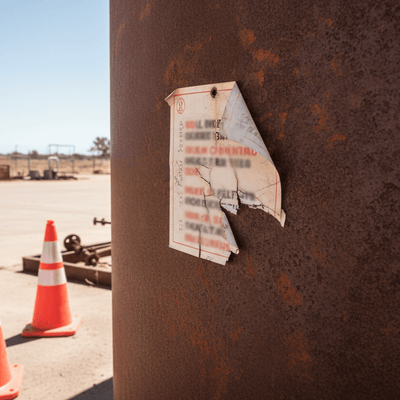
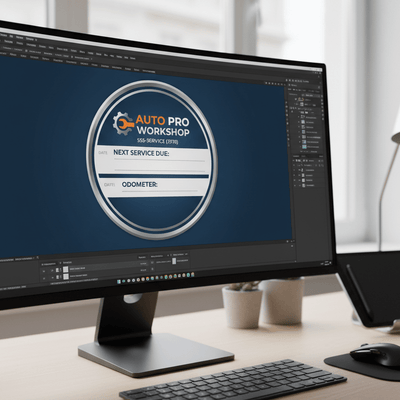
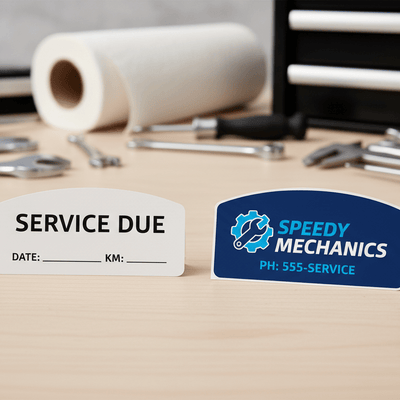
Collection of custom vinyl stickers with design tools on a wooden surface
Stick-dat Real custom logo Sticker, easy to apply demo on back window of a car.
Logo of Stick-Dat with text 'Custom Stickers Made Easy' on a gray background
Sheet of Stick-Dat stickers with brand logo on a cutting mat.
Size Chart - All Sizes of custom decal
Clothing Store SALE Tags of custom decal
Candle Branding of custom decal
Sandwich Paper/Food Packaging of custom decal
Vehicle Window Branding of custom decal
Water Bottle Promotional of custom decal
Retail Product Branding of custom decal
Laptop Branding of custom decal
Product Packaging Branding of custom decal

Custom Die-Cut Vinyl Stickers | Personal & Professional Branding

Regular price
$15.99 AUD
Sale price
$15.99 AUD
Regular price
Sold out
Unit price
per 
Shipping calculated at checkout.

Please Note: We will send a proof shortly after ordering to the email or mobile number supplied during checkout.

Upload Your Design (Optional)
🎨 Want to Design Your Sticker & Custom Cutline Live Online?

Upload your ready-made file above as normal, OR launch our Full-Screen Sticker Studio to pick from 10 starter layouts, combine logos, CMYK colours, and vector cutlines (auto-attaches a layered production PDF to your order).

✔️ Custom Sticker Design & CMYK Vector Cutline PDF Attached!
🎨 Stick-Dat CMYK Studio 50W × 50H mm Tier: 50 mm • 1 Sticker $19.99 AUD
⚠️ Low Resolution Warning: Uploaded image is below 150 DPI at this sticker size.
🔍 Scale: 100%
🔄 Rot: 0°
✨ 10 Pre-Made Starter Layouts
Pick a preset layout below. Tap the "YOUR IMAGE HERE" badge on the sticker to drop your logo straight into place!
Quick Size Tier Jump (20mm – 750mm):
💡 Changing Width or Height automatically selects the matching Size tier while keeping your chosen Amount (1 Sticker).
━━ CMYK Magenta (C:0 M:100 Y:0 K:0) = CutContour Path
CMYK Fill Ink Mix: C:0% M:90% Y:85% K:10%
C0%
M90%
Y85%
K10%
Tap a layer to select it, or use ▲ / ▼ to move layers in front or behind:
Custom Vinyl Backing CMYK: C:0% M:0% Y:0% K:0%
C0%
M0%
Y0%
K0%

Complete Customization: Die-Cut Vinyl Stickers

Bring your exact vision to life with our fully customizable die-cut vinyl stickers. Perfect for tradies, small businesses, artists, band merchandise, or personal projects—you can either upload your own ready-made artwork or design your sticker live online using our built-in Interactive Sticker & Cutline Studio. We will precision-cut your stickers for a flawless, professional result.

Manufactured in Cornubia, Brisbane

Stop waiting weeks for inferior overseas printing. We manufacture all custom sticker orders directly in-house at our local workshop in Cornubia, Queensland, ensuring rapid turnaround times and strict quality control.

Premium Mimaki Print Technology

Your designs are printed on a commercial Mimaki CJV150-75 printer using genuine SS21 Eco-Solvent inks. This guarantees vibrant CMYK colour accuracy, full waterproofing, and heavy UV-resistance. Your custom artwork will not fade or peel, boasting a 7+ year outdoor lifespan.

Key Features

  • 2 Ways to Customize: Upload your existing artwork/logo file OR create a design from scratch in our Full-Screen Interactive Sticker Studio.
  • Custom Vector Cutlines: Choose standard shapes (circle, rounded box, shield, star, octagon) or draw your own custom die-cut contour line.
  • Material: Premium UV-resistant vinyl tailored for tough indoor or outdoor use.
  • Lifespan: 7+ years outdoor weatherproof rating.
  • Origin: 100% Australian Made and Printed in Cornubia, Brisbane.

How to Order Your Custom Stickers (Choose Option 1 or Option 2)

Option 1: Quick Upload or Custom Text (Best if you already have artwork or a simple reorder)

  1. Choose Your Specs: Select your sticker Size (mm) and the Amount you need from the dropdown options.
  2. Add Your Details: Type your business name, rego, or required text in the Custom Text box (skip this if placing an exact reorder).
  3. Upload Your Artwork: Click Upload Your Design to attach your logo or print file, and add any layout notes in Special Instructions.
  4. Checkout: Click Add to Cart and complete your purchase—we’ll send you a digital proof to approve shortly after ordering!

Option 2: Launch the Interactive Sticker Designer Studio (Best for building a layout & cutline live)

  1. Open the Studio: Click the blue "Launch Full-Screen Interactive Sticker Designer" button on this page.
  2. Set Size & Pick a Layout: Enter your exact width and height in millimeters (the studio automatically matches your Size tier and price) or start from one of our 10 Pre-Made Starter Layouts.
  3. Customize Layers & Cutlines: Upload your logo into the "Your Image Here" slot, add custom fonts, adjust CMYK print colours, and select or draw your own Magenta Vector Cutline.
  4. Save & Checkout: Click Save Design & Attach Layered PDF, then click Add to Cart. Your print-ready design and vector cutline will be automatically attached to your order!

File Too Large or Upload Glitching?

Don’t worry! Just leave the upload section blank, complete your checkout, and email your high-resolution artwork directly to sales@stick-dat.com.au. Be sure to include your order number.

Accepted formats: JPEG, PNG, PDF, AI, EPS, SVG. Minimum 300 DPI for best results.

How to Apply

  1. Clean the surface thoroughly with warm soapy water and allow to dry.
  2. Peel the backing from the sticker carefully.
  3. Position the sticker on your surface and press firmly from the centre outward.
  4. Slowly peel away the transfer tape (if applicable) at a low angle, leaving the decal in place.
  5. Run your finger or a squeegee/card firmly over the sticker to remove any air bubbles.

You may also like